A home assistant that lives in your house, not in the cloud.
A voice in every room, your music everywhere, and an app that works even offline. It runs on a computer you own, and your voice never leaves your network.
A voice in every room, your music everywhere, and an app that works even offline. It runs on a computer you own, and your voice never leaves your network.
Domovoi turns a computer you already own into your home's own system: your music, movies, audiobooks, files and documents in one place, playing in every room and on your phone.
A Windows or Linux computer you own runs it all: understanding speech, the AI, your library and the dashboard.
A small speaker, a spare laptop or an old phone in each room hears the wake word, answers and plays your music.
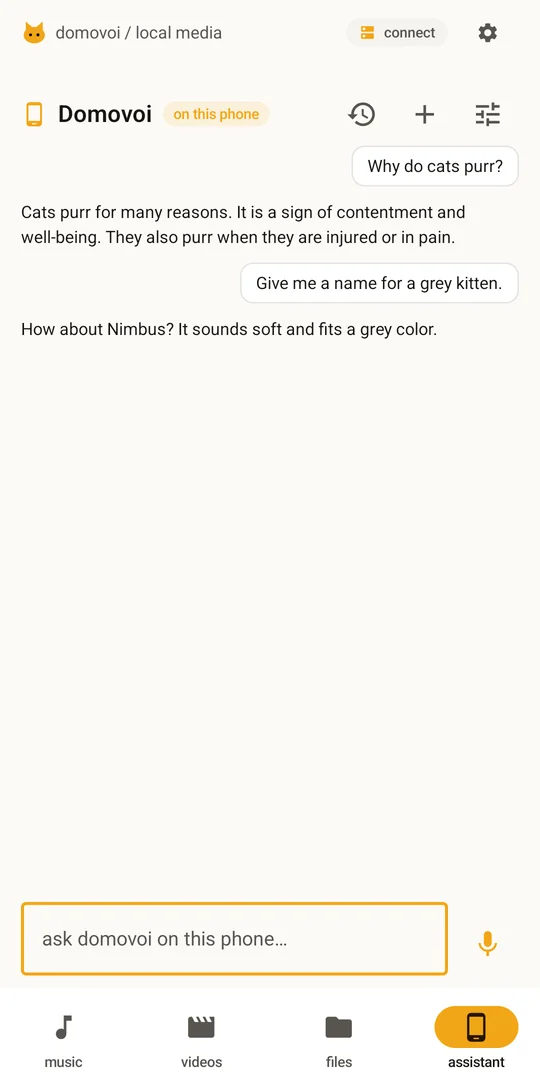
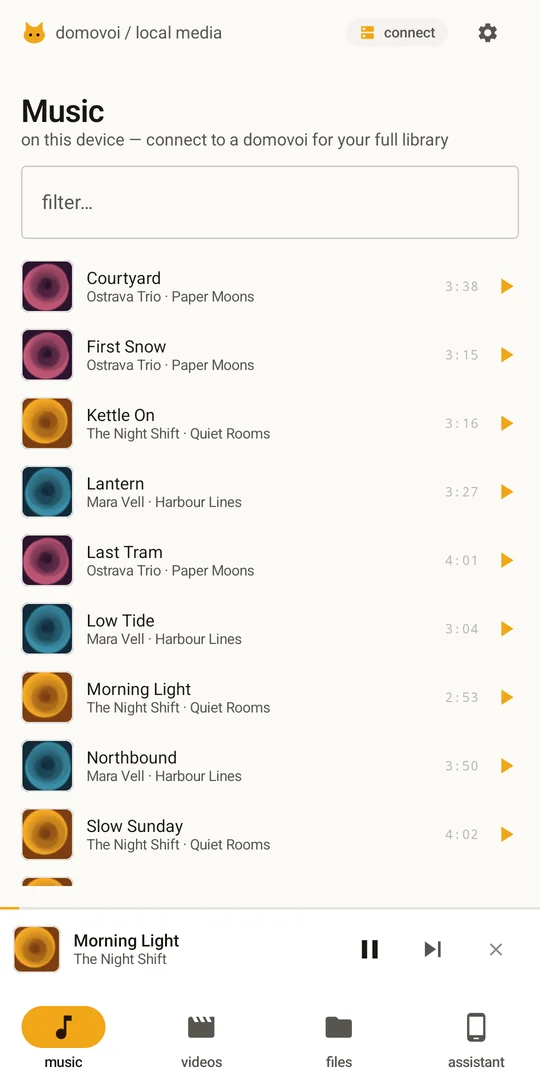
The Android app reaches your house from your phone, and on its own it plays your phone's music and answers questions, even offline.
Put the Domovoi server on a computer at home, then give any room a voice. Everything runs from that one computer, and your voice never leaves your network.
The Windows installer sets up the whole Domovoi server on a Windows 11 PC: speech, the language models, voices, your music library and the dashboard.
Always the latest release; its checksums are on the release page. The full Windows guide.
Prefer Linux? On Ubuntu 26.04, Debian 13, Linux Mint or Pop!_OS, one command sets it all up:
curl -fsSL https://raw.githubusercontent.com/coders-farm-official/domovoi/stable/scripts/linux/install.sh | sudo bash
It asks a few questions, checks that what it downloaded is the signed release, and ends with the address to open from your phone. The Linux guide shows how to read the script before you run it.
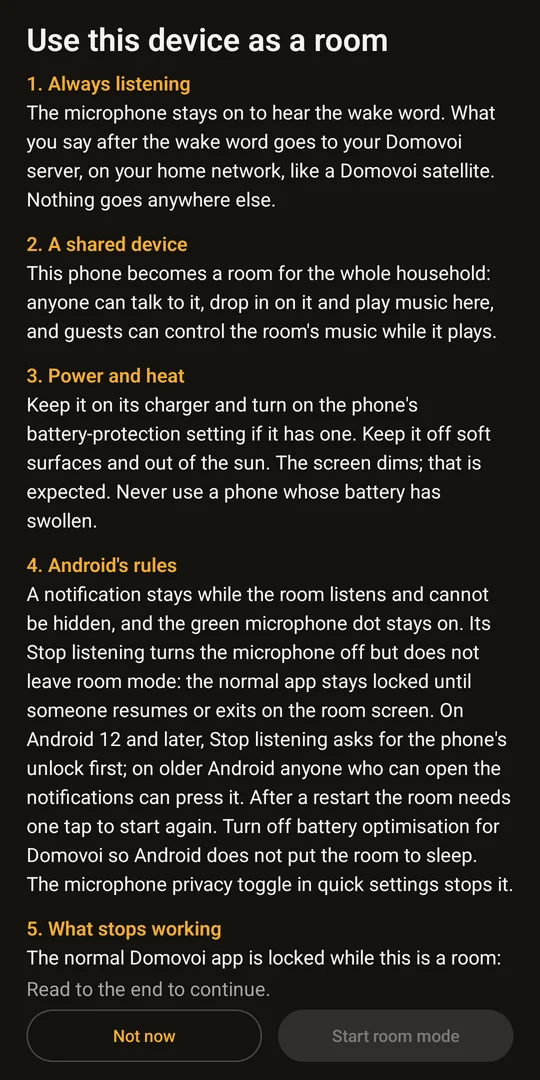
Any room can have Domovoi: a Raspberry Pi speaker, a spare Linux or Windows laptop, or an old Android phone or tablet in room mode.
Add one from your server's dashboard under Settings → Household → Rooms. It joins with a one-time approval code, and then it hears the wake word, answers, plays music, rings timers and works as an intercom.
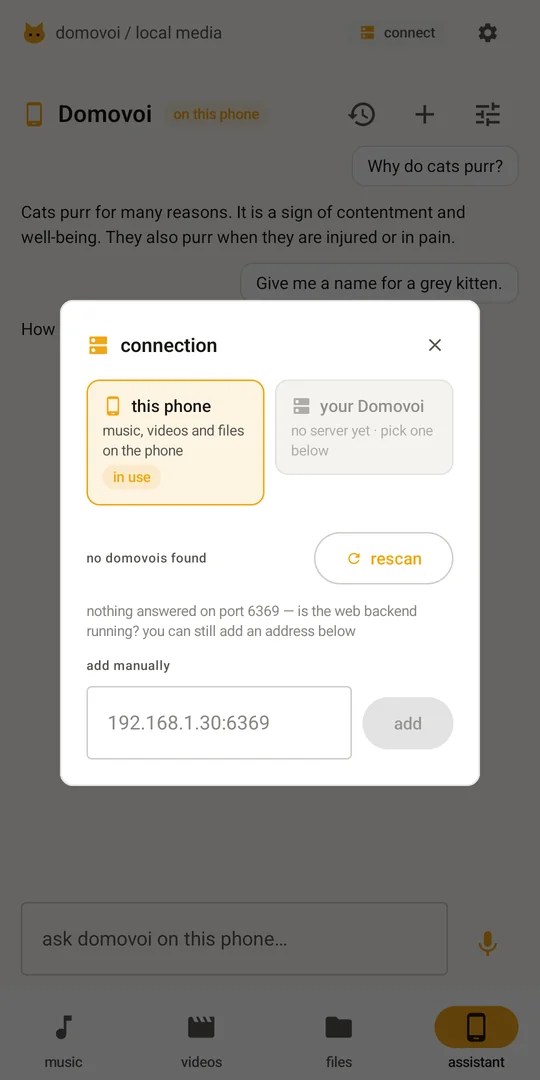
With your Domovoi server, the app runs the whole house from your phone. On its own, it plays what's on your phone and runs an assistant right on the phone, even in airplane mode.
Get it on Google PlayOr download the APK from the GitHub releases page: the 64-bit APK fits almost every phone from about 2017 on, and the 32-bit one is for older and budget phones (everything except the on-device assistant).
Your voice and your household's data stay on your own hardware.
Coders Farm collects nothing from the app or the server.
Whether Domovoi uses the internet at all is your household's choice.
Read the privacy policyMIT licensed and built in public since July 2026, with thousands of commits and automated tests. Built with AI coding agents, held to tests, a written security model and real releases.
Releases are signed, and every release lists SHA-256 checksums for its files; Windows updates check the installer against the Domovoi release key before installing. Every file also has GitHub build provenance, a record of where and how it was built, and each release comes with software bills of materials (SBOMs) listing the third-party code it ships. How to check a release.
Want to build things like this? Start free at learn.codersfarm.org.
See the code on GitHubGet an email when a new release is out. Nothing else, and you can leave any time.
Talk with us on DiscordYour house: only to set up. The server downloads its AI models during setup (about 10.5 to 13.5 GB on Windows), then keeps working with no internet at all if you choose “No, keep everything in the house”. Setup downloads the Android app too, so phones in the house can install it from your server, even with no internet.
Your phone: once, to download the assistant's models (about 2.6 GB). After that it answers in airplane mode, and your phone's own music and videos play with no connection.
Not for the phone app: its assistant and your phone's own music, videos and photos work without one. A server on a Windows 11 PC or a Linux computer (Ubuntu, Debian, Linux Mint or Pop!_OS) adds the voice in every room, the shared library and the dashboard. Set one up.
Android 8.0 or later. The on-device assistant needs a 64-bit phone with 8 GB of memory or more; older and 32-bit phones get everything else.
Not yet, but one is coming. Get an email when it's out.
Not yet, but it's coming for Apple Silicon Macs. Until then, the server runs on a Windows 11 PC or a Linux computer. Get an email when it's ready.
Yes: no ads, no subscription, and no data sold. Coders Farm is a nonprofit, and donations pay for it. Support the work.
Windows: the installer doesn't carry a Windows code-signing certificate yet, so Windows shows “Windows protected your PC”. Choose More info, check the file is the DomovoiSetup.exe you downloaded, then Run anyway. Smart App Control has to be off.
Android: Google Play installs it with no warning. An APK from GitHub makes Android ask before installing an app from outside Google Play; that's expected. To be sure a file is ours, compare it with the release's SHA-256 checksums.
Coders Farm, a 501(c)(3) nonprofit in Lansing, Michigan that teaches people to code for free. In Slavic folklore a domovoi is the household's guardian spirit, often a cat; ours lives in your network. About Coders Farm.
